

IP One-Button Intercom Column: A Powerful Tool for Emergency Assistance and Security Communication in Unmanned Scenarios
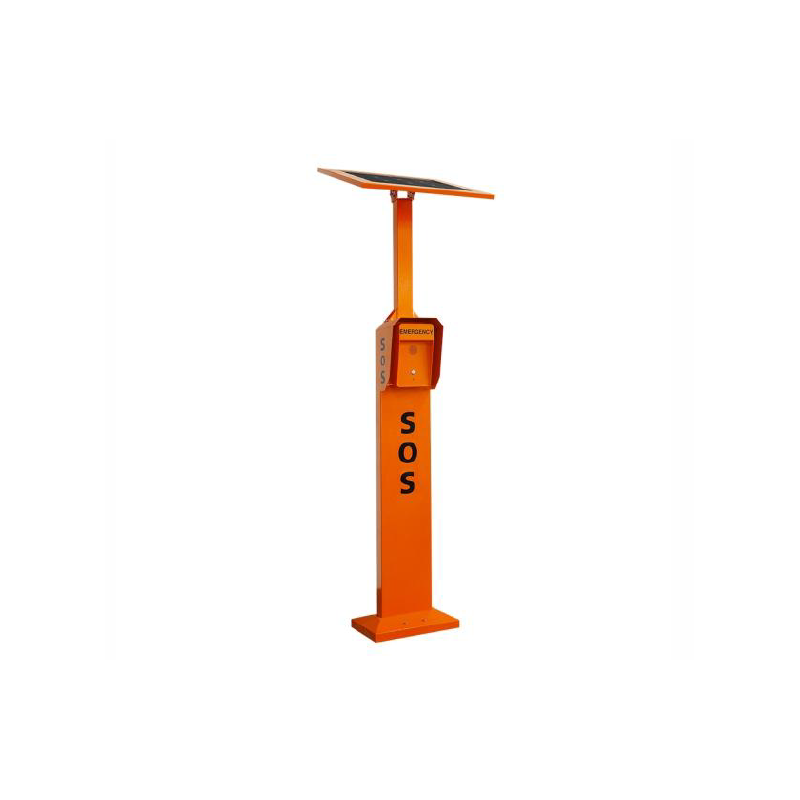 In scenarios such as unmanned parking lots, smart campuses,
and open scenic areas, slow response to emergencies and
unattended operations have always been pain points in security
management.
The IP One-Button Intercom Column was created to address
this issue—through networked and intelligent communication,
it allows for "one-click" assistance and keeps security
"always online."
What is an IP One-Button Intercom Column?
The IP One-Button Intercom Column is an emergency
intercom device based on an IP network, integrating
voice intercom, video monitoring, alarm linkage, and
other functions.
When personnel encounter an emergency on-site,
they can simply press the help button to instantly
connect to the management center or on-duty
personnel, enabling rapid response and remote
handling.
This device is widely used in:
Unattended parking lots
Campus public areas
Hospital outdoor passageways
Parks, scenic spots, and walkways
Community entrances and exits, etc.
Core Functions of the IP One-Button
Intercom Column:
One-Button Alarm, Instant Response
When on-site personnel press the emergency
button, the IP one-button intercom column
immediately initiates a call to the backend host,
eliminating the need for dialing and waiting,
ensuring that emergencies are answered
immediately.
Two-Way Voice Intercom, Real-Time
Communication
Supports high-definition two-way voice intercom,
allowing the management center to speak directly
with on-site personnel to calm them down, provide
operational guidance, and quickly assess the situation.
High-Definition Video Linkage, Remote
Visualized Handling
Built-in high-definition camera automatically uploads
real-time video footage upon alarm activation,
helping on-duty personnel "see the scene"and
improving decision-making accuracy.
Precise Electronic Map Positioning
The intercom column's location information is
simultaneously displayed on an electronic map,
suitable for deployment in large parks, campuses,
or scenic spots, quickly locating the point of
needing assistance.
Remote Broadcasting
The management center can use the intercom
pillars for remote broadcasting, emergency
evacuation, crowd guidance, or safety reminders,
enhancing on-site control capabilities.
Audio and Video Recording
Supports call recording and video recording
functions, providing reliable evidence for
post-incident tracing, liability determination,
and safety management.
System Architecture: Server-Free,
Simplified Deployment
IP one-button intercom pillars are typically
used in conjunction with IP phone hosts
or intercom hosts:
One host can manage multiple intercom
pillar terminals
Operates on a LAN or private network
No additional server required, reducing
system costs
Supports centralized management and
unified scheduling
This architecture is particularly suitable
for small and medium-sized parks,
campuses, parking lots, etc., offering
fast deployment, simple maintenance,
and stable reliability.
Typical Application Scenarios
Unmanned Parking Lots
In case of disputes, equipment malfunctions,
or personal injury risks at night or in remote
areas, car owners can quickly contact the
management center via IP one-button
intercom pillars.
Campus Security
Deployed in locations such as playgrounds,
outside teaching buildings, and dormitory
areas, enabling immediate response to
emergencies and student requests for
assistance.
Scenic Spots and Parks
Covering densely populated or remote areas,
enhancing visitor safety and supporting the
construction of smart management systems
within scenic areas.
Why Choose IP One-Click Intercom Pillars?
Networked deployment, flexible expansion
One-click operation, easy for the elderly
and children to use
Multi-functional integration, reducing
redundant equipment deployment
Adapting to the trend of unmanned and
intelligent management
Next:Building Intercom System: The Fundamental Communication Hub for Smart Communities and Intelligent Bu Return to List