

Acewo One-Button Hands-Free Intercom: A 4G Wireless Emergency Call System That Only Requires Power
In environments such as tunnels, industrial parks, unattended
locations, or emergency access routes, unstable networks
and difficult cabling are often the biggest obstacles to building
emergency communication systems. Addressing this industry
pain point, the Acewo One-Button Hands-Free Intercom System
was developed—it provides stable and clear emergency call
communication without relying on traditional networks, requiring
only power.
I. System Overview: A Truly "Plug-and-Play" Emergency
Intercom Solution
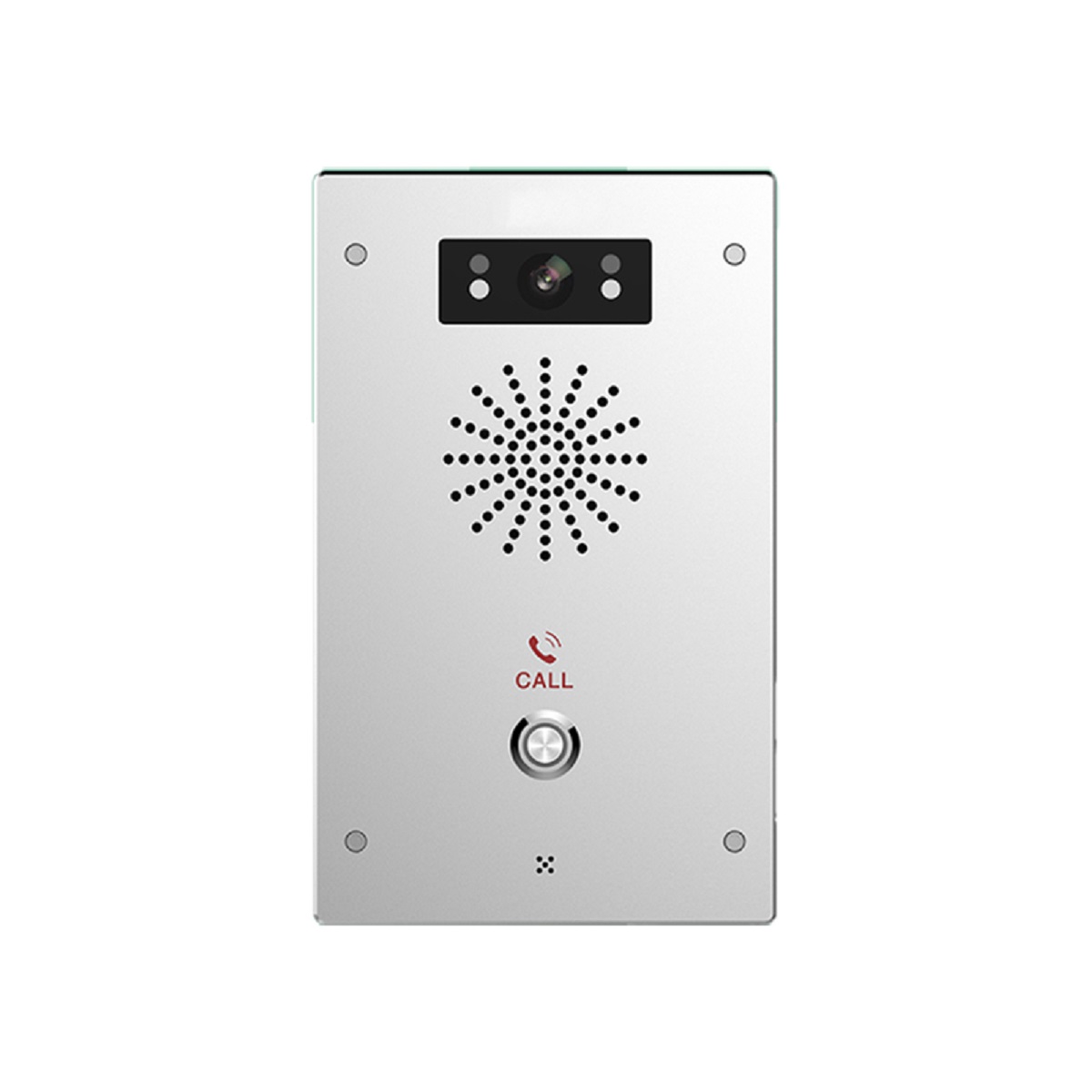
The Acewo One-Button Hands-Free Intercom is an emergency
call system based on 4G wireless communication technology,
consisting of a main unit and extension units.
The system requires no complex network deployment, does
not rely on fiber optics or LANs, and only needs a power source
to operate, significantly reducing construction difficulty and
deployment costs.
Core advantages summarized in one sentence: Works with
power, one-button communication in case of emergency.
II. Equipment Features: Industrial-Grade Design, Clear
Status Indication
The Acewo one-button hands-free intercom's hardware
design fully considers industrial and outdoor application
scenarios:
Silver metal casing
Rugged and durable, impact-resistant and
corrosion-resistant, suitable for long-term operation
Single power supply
No additional network equipment required, simpler
installation
4G / LAN / SIP status indicator lights
Clearly visible device operating status, more
efficient maintenance
Both main unit and extension units can operate
independently
Not reliant on traditional network architecture, more
flexible deployment
III. Core Function Demonstration: One-Button Direct
Connection, Seamless Two-Way Communication
1️⃣ Two-Way Calling System
The Acewo one-button hands-free intercom supports
true two-way communication:
Extension units can call the main unit with one button
The main unit can call a specified extension unit in return
Clear and stable call process, no howling, no delay
Whether it's the person requesting help or the duty center,
a call connection can be quickly established.
2️⃣ Diverse Intelligent Call Answering Methods
To adapt to different usage scenarios, the system
supports multiple call answering methods:
Touchscreen digital input call (main unit)
Physical button answering (long press
"1" to connect)
Automatic extension answering function
Avoids communication interruption due to
operational errors in emergencies
Truly achieves: No learning cost required in
emergencies.
3️⃣ Emergency Guidance and Precise Location
After the call ends, the system will automatically
play a voice prompt:
"Please wait patiently for rescue personnel to arrive."
Simultaneously, the system supports precise location
of the call source through the device number, allowing
the command center to confirm the location of the
request for help immediately, buying valuable time
for subsequent rescue.
IV. Standard Operating Procedure: Simple and Intuitive,
Zero-Learning User Experience
The Acewo one-click hands-free intercom's operating
procedure is extremely simple:
Enter the target extension number on the main unit
touchscreen
Click confirm to initiate the call
After establishing the call, full-duplex hands-free
communication is achieved
The system automatically records call information for
easy later retrieval and management
No complicated training required; anyone can quickly
get started.
V. Application Scenarios: Born for "Critical Moments"
The Acewo one-button hands-free intercom system is
widely applicable to:
Tunnels/Underground Passages
Unmanned Parking Lots
Industrial Parks/Factory Areas
Emergency Points in Schools/Hospitals
Public Safety Locations such as Scenic Spots and Ports
Next:Parking Lot Video Intercom System: Making Entrance/Exit Management Smarter and More Efficient Return to List